Continuous Deployment for React Native app to Expo using Bitbucket Pipelines
- Expo lets you deploy and test your app
- Bitbucket Pipelines lets you run commands in a Docker container
bitbucket-pipelines.yml
bitbucket-pipelines.yml is the file that you need to commit to the root of your repo in order to enable Pipelines. I'd recommend going to the Pipelines page for your repo and generate one from there. It'll commit it to your repo and you can edit the configuration later in your code editor.
Variables in your pipeline
You can set your variables and their values under Repository Settings (and other places). They'll be available for you to reference in your scripts like so
$AWS_SECRET
You can only set Repository Variables after you have added the bitbucket-pipelines.yml file
Configuration
Here's my bitbucket-pipelines.yml file:
- The file is heavily commented to give an idea of what's happening at each step and why
- I'm deploying
master,developandfeature/*branches on Bitbucket toproduction,staging,testchannels on Expo respectively. - Because i have mentioned
deploymentvalues, the builds will also show under the Deployments page in Bitbucket, giving you an overview of all your deployments. - You can configure deployment environments under Settings > Deployemnt
- I'm not using tests at the moment so the Test with Jest step is fairly useless. But i have left it there for reference later.
- Inside the Docker build container, you can install any app and run any command you want. This gives you a lot of freedom when defining your
script
# This is the build configuration for React Native Expo project using Bitbucket Pipelines.
# Configuration options: https://confluence.atlassian.com/bitbucket/configure-bitbucket-pipelines-yml-792298910.html
# Only use spaces to indent your .yml configuration.
# -----
# You can specify a custom docker image from Docker Hub as your build environment.
---
image: node:latest

definitions:
  caches: # configure caches to speed up builds. more: https://confluence.atlassian.com/bitbucket/caching-dependencies-895552876.html
    npm: "${HOME}/.npm"
    jest: .jest

pipelines: # contains all your pipeline definitions. you can define multiple pipelines in the configuration file
  default: # contains the steps that run on every push for any branche that isn't specifically added in this config.
    - step: # each step starts a new Docker container with a clone of your repository, then runs the contents of your script section.
        name: Test with Jest
        caches:
          - npm
          - jest
        script: # a list of commands that are executed in sequence.
          - npm ci
          # - npx jest --ci

  branches:
    master: # This script runs only on commit to the master branch.
      - step:
          name: Deploy to Expo # https://exp.host/@USERNAME/PROJECT?release-channel=CHANNEL
          deployment: production # used in the Deployments dashboard. Valid values are: test, staging, or production.
          caches:
            - npm # keep the npm cache around to speed up installs
          script:
            # Modify the commands below to build your Expo project
            - unset NPM_CONFIG_USER # see: https://github.com/expo/sentry-expo/pull/26#issuecomment-453822980
            - npm ci # ci = clean install
            - npm i -g --unsafe-perm expo-cli # install Expo globally cz npx wasn't working
            - expo login -u ${EXPO_USERNAME} -p ${EXPO_PASSWORD} # Use variables defined in Repository Settings
            - expo publish --non-interactive --clear --release-channel production

    develop: # This script runs only on commits to develop branch
      - step:
          name: Deploy to Expo
          deployment: staging
          caches:
            - npm
          script:
            - unset NPM_CONFIG_USER
            - npm ci
            - npm i -g --unsafe-perm expo-cli
            - expo login -u ${EXPO_USERNAME} -p ${EXPO_PASSWORD}
            - expo publish --non-interactive --clear --release-channel staging

    feature/*: # This script runs only on commit to branches with names that match the feature/* pattern.
      - step:
          name: Deploy to Expo
          deployment: test
          caches:
            - npm
          script:
            - unset NPM_CONFIG_USER
            - npm ci
            - npm i -g --unsafe-perm expo-cli
            - expo login -u ${EXPO_USERNAME} -p ${EXPO_PASSWORD}
            - expo publish --non-interactive --clear --release-channel test
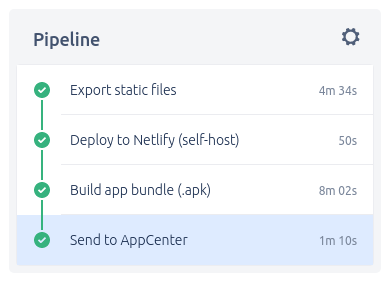
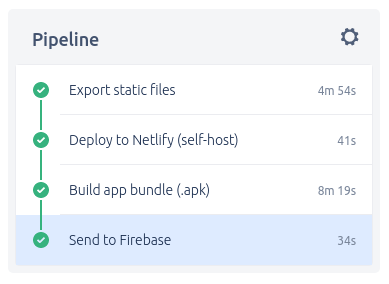
Notes
- Ended up using
latestinstead ofalpineto get rid of common issues like git not being installed and such - Had to add
unset NPM_CONFIG_USERbecause of Sentry's permission errors during install - Publishing to Expo with
--clearto make sure it clears the bundler's cache and doesn't deploy cached stuff - Ended up instaling
expo-cliglobally and not runningnpxbecause of errors - The entire build takes
4m 09sfor me - If you have Gitflow setup and are used to creating
featurebranches, make sure you push (and edit) yourbitbucket-pipelines.ymlin themasterbranch. Otherwise you'll end up doing a lot of cherry-picking like me to get the changes back in master to see if the pipeline worked..
Trubleshooting
Ended up troubleshooting quite a bit as the build kept failing. It's different running things in Docker containers..
Sentry issues
Bitbucket Pipeline: Error: EACCES: permission denied, mkdir '/root/.npm/sentry-cli' #47
resolved by adding unset NPM_CONFIG_USER before runnig any npm install commands
Opencollective
sh: ./node_modules/.bin/opencollective: not found
It's some stupid dependency of a dependency to invite people to donate, causing CI/CD scripts to fail. react-native-router-flux uses it.. see npm install fails on 1.0.4. The workaround was to install the bloody thing manually before installing the rest of the packages and make it shutup.
npm i opencollective
# or following depending on what version a package is depending on
# npm i opencollective-postinstall
I ended up removing react-native-router-flux altogether from my project because:
- It's not being actively developed, last change was to a beta version in 2017..
- I can't use the same knowledge for my React web projects - learn once, route anywhere principle.
- npm ads will be banned
- It's causing my build to fail!
Expo
Got the following error when trying to run Expo commands with npx.
This command requires Expo CLI.
Do you want to install it globally [Y/n]?
Resolved this by not using npx and installing Expo globally
NOTES
- You can manually
triggerdeploys for branches that are notmasterto save up on your 50 free build minutes per month.