Install Embedded Dart Sass on Netlify
NOTE: In 2023, the Sass team deprecated Embedded Dart Sass in favor of Dart Sass. Embedded Dart Sass is no longer a requirement since Hugo version 0.114.0.
If you have been using Embedded Dart Sass with Hugo v0.113.0 and earlier, uninstall Embedded Dart Sass, then install Dart Sass. If you have installed both, Hugo will use Dart Sass.
Install Dart Sass with brew install sass/sass/sass. Note that npm i -g sass install the pure JavaScript implementation of Sass which is slower than Dart Sass. If you're installing Dart Sass with Homebrew, you should uninstall the one installed from NPM.
# remove the pure JavaScript implementation of Sass, which is slower than Dart Sass
npm uninstall -g sass


# install Dart Sass (Linux)
sudo snap install dart-sass

# install Dart Sass (macOS / Homebrew)
# /bin/bash -c "$(curl -fsSL https://raw.githubusercontent.com/Homebrew/install/HEAD/install.sh)"
brew install sass/sass/sass
# List the active transpilers.
hugo env
To install embedded-dart-sass on Netlify you need to download and extract it to a location that's in the system $PATH.
- Create a bash script called
build.shand add the steps for installingdart-sass-embeddedand building your site in there. - In your
netlify.tomlyou'd specify the script as the value for the build command for your contextcommand = "./build.sh". The value is a path to the script file relative to your base. If you had an existingcommandthere, move it to the end of thebuild.shfile
Here's the code for the build.sh file
#!/bin/bash

DARTSASS_VERSION="1.58.0"
BIN_DIR="/opt/build/repo/node_modules/.bin"

echo "==== Installing Dart Sass Embedded"
mkdir -p ${BIN_DIR}

curl -LJO https://github.com/sass/dart-sass-embedded/releases/download/${DARTSASS_VERSION}/sass_embedded-${DARTSASS_VERSION}-linux-x64.tar.gz;

tar -xvf sass_embedded-${DARTSASS_VERSION}-linux-x64.tar.gz;
mv sass_embedded/* ${BIN_DIR}
rm -rf sass_embedded*;

echo "==== dart-sass-embedded successfully installed"
dart-sass-embedded --version

echo "==== building site"
hugo --gc --minify
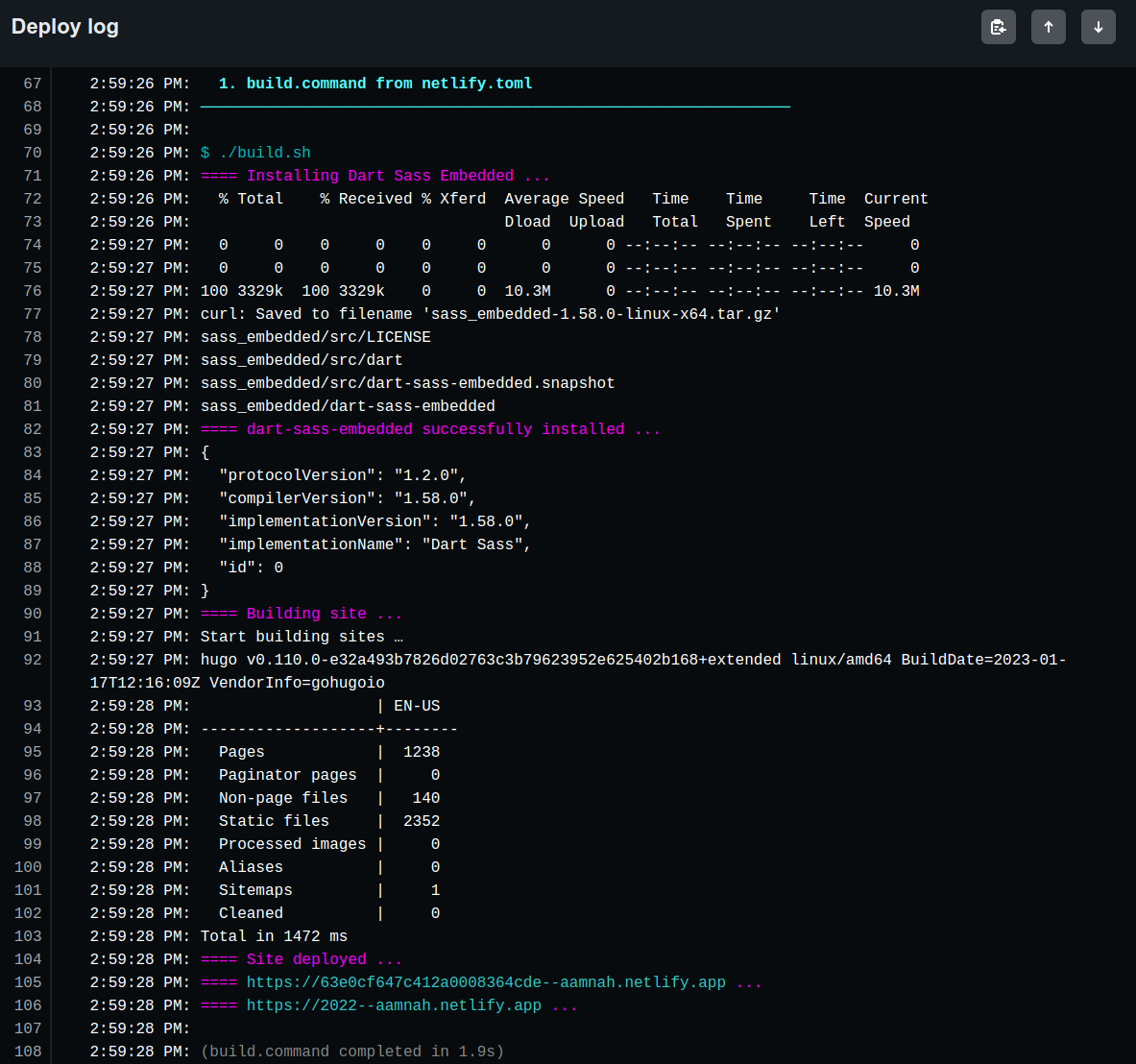
The only thing you may need to change in the script above is the value for DARTSASS_VERSION
A successful install is indicated with the output below. If you see anything else, something went wrong..
{
	"protocolVersion": "1.0.0",
	"compilerVersion": "1.52.1",
	"implementationVersion": "1.52.1",
	"implementationName": "Dart Sass",
	"id": 0
}
Figuring out $PATH in Netlify build images
How do we know what's in $PATH when you're deploying sites on Netlify? Simple, we log it out, by adding a echo ${PATH} to our build command/script. I know from experimentation that the following dirs in the $PATH inside the build image
/opt/build/repo/node_modules/.bin
/opt/build/node_modules/.bin
/opt/node_modules/.bin
/node_modules/.bin
/usr/local/sbin
/usr/local/bin
/usr/sbin
/usr/bin
/sbin
/bin
The /usr/ ones might need you to chmod files in order to work. I picked /opt/build/repo/node_modules/.bin because /opt/build/repo/ is the default base directory in the build image for your repo, no ownership and access issues. I have installed and tested stuff in
/opt/build/repo/node_modules/.bin and it has worked fine for me so far.